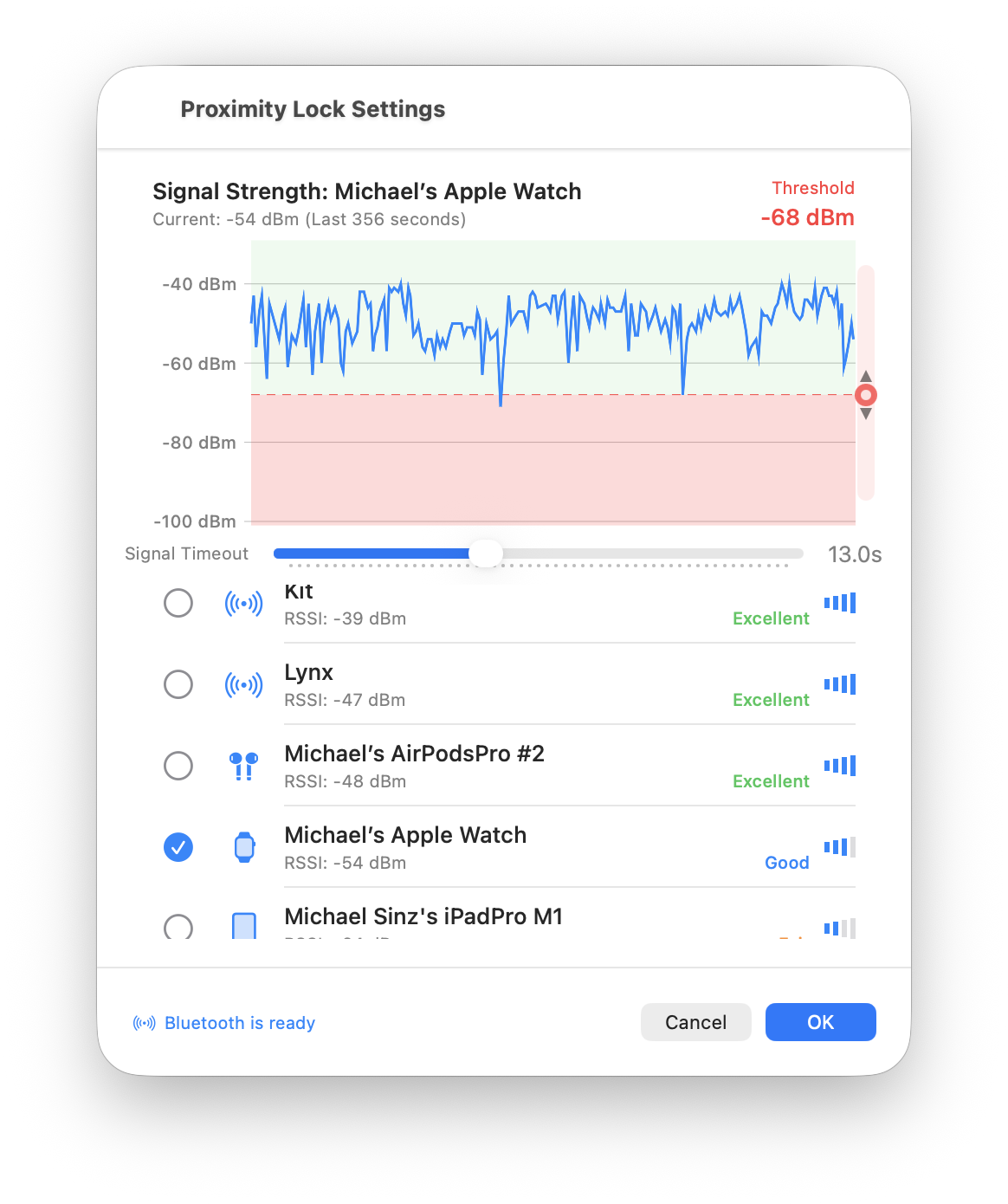
ProximityLock uses sophisticated Bluetooth signal analysis to provide reliable proximity monitoring without requiring device connections. It's like having a well-trained guard dog that knows when someone's around without needing direct contact.
Just Want to Use It? You don't need to understand the technical details! We built ProximityLock to work great out of the box. Check out Quick Start to get going, and only come back here if you're curious about the technology or troubleshooting.
Bluetooth devices constantly broadcast their presence, like shouting "I'm here!" into the room. ProximityLock passively listens for these broadcasts from your selected device and measures how strong the signal is. When the signal gets too weak (you've walked away), ProximityLock locks your computer.
This is completely passive monitoring. ProximityLock is like a radio receiver that only listens. It never connects to your device, never sends commands, never pairs. It just observes the signal strength that your device is already broadcasting and uses that to make one decision: lock or don't lock.
Bluetooth Low Energy (BLE): ProximityLock works with any Bluetooth device but is optimized for BLE devices, which are better at constantly advertising their presence. Most modern devices (iPhone, Apple Watch, AirPods) use BLE.
When monitoring is enabled, ProximityLock continuously scans for Bluetooth device advertisements. This is completely passive. It doesn't connect to your device or drain its battery, it just listens.
Each time your device broadcasts, ProximityLock measures the signal strength in dBm (decibels relative to one milliwatt). This is called RSSI (Received Signal Strength Indicator).
Understanding dBm: The dBm scale might seem backward. Smaller negative numbers (-40) mean stronger signals than larger negative numbers (-80). Think of it like debt: owing $40 is better than owing $80!
ProximityLock doesn't make decisions based on a single reading. It stores up to 200 readings or 10 minutes of signal history. This prevents false alarms from brief signal drops, like when you shift in your chair and your body blocks the signal temporarily.
The threshold is the dividing line between "you're here" and "you're gone". You set this value in Settings by dragging the red dashed line on the signal graph.
When ProximityLock sees a signal reading below your threshold, it starts paying attention. But it doesn't immediately lock your computer. It waits to see if this is just a temporary dip or if you've actually left.
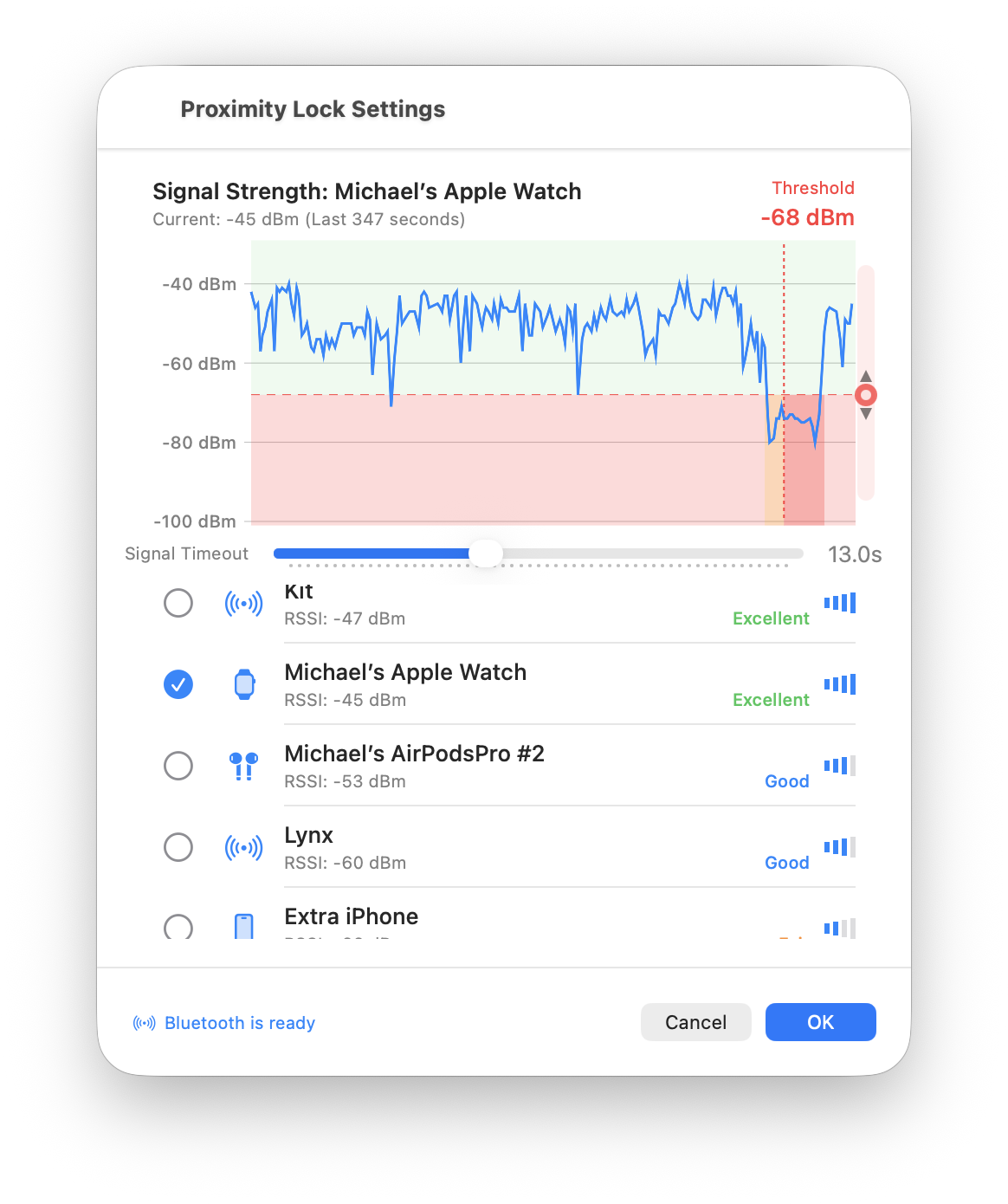
Here's where the timeout setting comes in. ProximityLock looks back over the last few seconds (your timeout value) and checks:
If yes to either question, ProximityLock decides you've left and locks your computer.
Why Timeout Matters: Bluetooth devices don't broadcast continuously. They advertise periodically (typically every few seconds). Sometimes these advertisements get missed due to interference from other Bluetooth devices, Wi-Fi routers, or even your body blocking the signal. The timeout window ensures ProximityLock waits for multiple missed or weak signals before declaring "you're gone".
Once disconnect is confirmed, ProximityLock immediately locks your screen by activating the screen saver. There are no warnings or countdowns, just instant protection.
ProximityLock operates through five distinct states:
Monitoring is turned off. ProximityLock is doing nothing.
You've turned monitoring on, and ProximityLock is scanning for your selected device. Once found with a strong enough signal, it moves to Connected.
Your device is detected and in range. This is the normal operating state. Your computer is protected and will lock if your device goes out of range.
Your device signal has been confirmed out of range. ProximityLock immediately triggers the screen lock and moves to Locked. You'll rarely see this state because it's very brief.
Your screen has been locked. When you return and unlock your computer, if your device is back in range, ProximityLock automatically returns to the Connected state and resumes protecting you.
We designed ProximityLock to never connect to your device. It only passively listens to broadcasts that your device is already sending. This means:
By looking at signal history instead of just the current reading, ProximityLock is smart enough to ignore:
Every environment is different. Your desk setup, nearby Bluetooth devices, building materials, and how you carry your device all affect signal strength. We built ProximityLock to let you tune both the threshold and timeout to match your specific situation.
The signal graph in the Settings window is your window into what ProximityLock sees in real-time:
This visualization helps you understand:
ProximityLock is smart about your computer's power state:
This ensures ProximityLock doesn't waste energy when it's not needed and smoothly resumes protection when your computer wakes up.
ProximityLock's approach is inherently private:
ProximityLock's monitoring system provides:
ProximityLock uses proven Bluetooth technology in a smart way. By continuously listening to your device's signal strength and analyzing patterns over time, it can reliably determine when you've walked away from your computer without ever connecting to your device, draining batteries, or requiring complex setup.
The real-time signal graph puts you in control, letting you see exactly what ProximityLock sees and tune the settings to match your specific environment and security needs.
© 2025-2026 - Michael Sinz